
The Ultimate Guide to PCB Design Basics: From Schematic to Successful Fabrication
The PCB Design Workflow at a Glance
Conceptualization: Creating block diagrams to define system architecture.
Schematic Capture: Translating blocks into logical connections using CAD software.
Pre-Layout Preparation: Verifying the Bill of Materials (BOM), assessing part availability, and defining the layer stack-up.
PCB Layout: Defining board outlines, placing components, routing traces, and running Design Rules Checks (DRC).
Output Generation: Exporting manufacturing data (Gerbers, Drill files, Assembly drawings) after a final Design for Manufacturability (DFM) review.
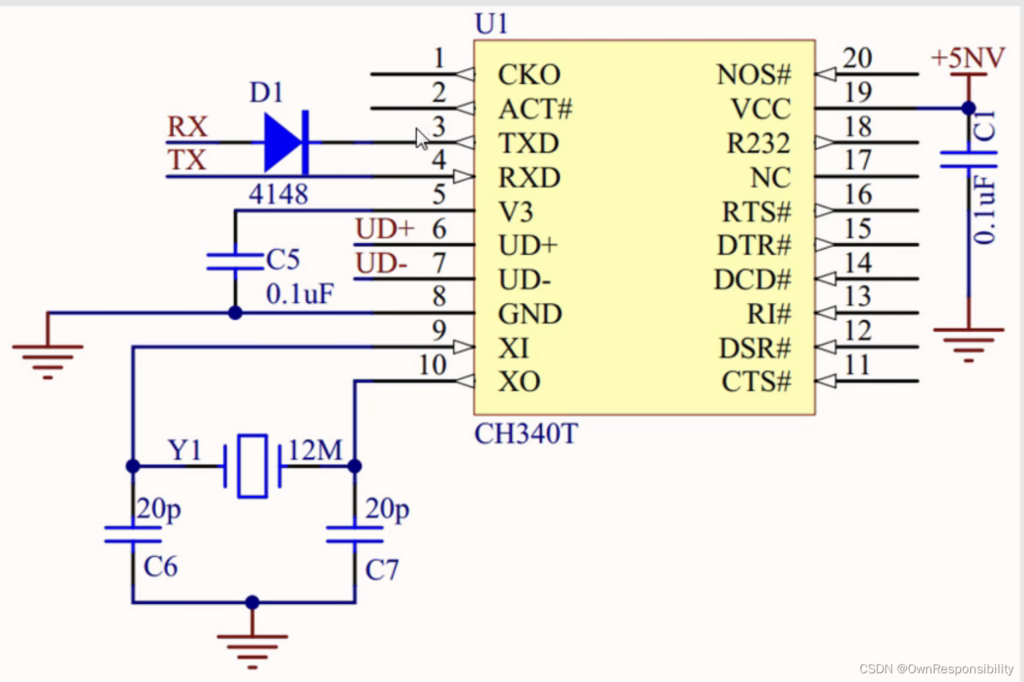
Crucial Considerations for Flawless PCB Layouts
1. Strategic Component and Package Selection
Choosing the right components goes beyond voltage and current ratings. As a designer, you must carefully evaluate package sizes. While miniaturization is a massive trend, defaulting to 0402 or 0201 packages when you have ample board space can unnecessarily complicate the PCB assembly (PCBA) process and make hand-rework incredibly difficult. Whenever possible, opt for standard 0603 or 0805 packages unless high-density constraints dictate otherwise.
2. Proactive Supply Chain Management
A perfect layout means nothing if the parts are out of stock. Always check the lead times of your components during the pre-layout phase. If a critical IC has a 50-week lead time, pivot immediately. It is highly recommended to design footprints that can accommodate alternative components (pin-to-pin drop-in replacements) to safeguard against supply chain disruptions.
3. Rigorous Schematic Verification
Your schematic is the central source of truth. A single mislabeled net can ruin an entire production run. Before moving to layout, double-check the following:
Pin configurations and polarity markers against component datasheets.
Correct placement and value of decoupling capacitors (placed as close to IC power pins as possible).
Clean separation of analog and digital ground symbols.
Complete Netlist verification to ensure there are no floating or unconnected pins.
4. Design for Testability (DFT)
Don’t wait until the board is manufactured to figure out how to test it. Add test points to all critical signals, power rails, and ground. For optimal In-Circuit Testing (ICT) and Flying Probe testing:
- Keep test points on the bottom side of the board if possible.
- Maintain a minimum distance of 0.100 inches (2.54mm) between test points.
- Ensure test points are not obstructed by tall components.
5. Keep Your BOM Synchronized
A common pitfall is updating a component value in the schematic but failing to update the Bill of Materials. Ensure your BOM is a living document. It must accurately reflect the Manufacturer Part Number (MPN), quantities, reference designators, and specifically mark any “Do Not Install” (DNI/DNP) components.
6. Precision Stack-up Planning
The layer stack-up defines the structural and electrical backbone of your PCB. Proper stack-up planning minimizes Electromagnetic Interference (EMI), crosstalk, and ensures signal integrity. When planning your layers, consider your mechanical constraints (overall board thickness), controlled impedance requirements (e.g., 90Ω differential for USB, 50Ω single-ended for RF), and copper weights.
7. Bulletproof Footprint Creation
Using standard library footprints is convenient, but you must always verify them against the recommended land patterns in the manufacturer’s datasheet. An incorrect pin pitch or wrong zero-orientation can lead to tombstoning or reversed components during assembly. Always visualize the 3D model of your footprint to verify courtyard clearances and component heights.
8. Logical Component Placement
Component placement dictates 80% of your routing success. Follow a hierarchical placement strategy:
Fixed parts first: Connectors, mounting holes, and switches dictated by the mechanical enclosure.
Core components next: Place main ICs, CPUs, and memory modules.
Supporting cast last: Place decoupling capacitors, series resistors, and inductors directly next to the pins they serve.
9. Routing Rules and Signal Integrity
Before laying down copper, set up your CAD design rules based on your manufacturer’s capabilities (e.g., minimum trace width and clearance).
Size your power and ground traces adequately to handle expected currents without overheating.
Keep high-speed digital traces short and matched in length.
Ensure that all controlled impedance traces route over a continuous, unbroken solid reference plane to avoid creating EMI loop antennas.
10. Comprehensive Manufacturing Documentation
Sending raw Gerber files is rarely enough. To guarantee your fabrication house builds exactly what you envisioned, you must provide clear documentation:
Fabrication Drawing: Must include board dimensions, layer stack-up details, drill charts, copper thickness, and impedance tolerances.
Assembly Drawing: Should display component outlines, reference designators, pin 1 indicators, and any special soldering or handling notes.
Final QC: Never Skip DFM
The final step before sending your files to the fab house is a rigorous DFM (Design for Manufacturability) check. Many layout tools have built-in DRCs, but running your Gerbers through a dedicated DFM checker will catch manufacturing-specific issues like acid traps, insufficient annular rings, and solder mask slivers.
Mastering PCB design takes time and practice. By adhering to these foundational principles, you will drastically reduce design iterations, save money, and ensure a smooth transition from prototype to mass production.